
Piano Star
TINYMAX HONGKONG LIMITEDMusic
4.33.39K Reviews
- Version
- 1.8.53
- Installs
- 100.00M
- Age Rating
- Everyone 10+
Screenshots
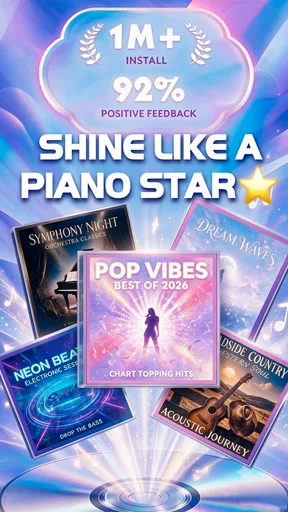
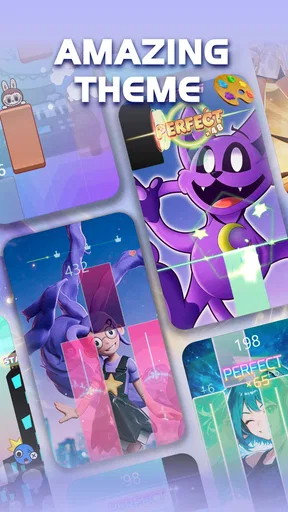
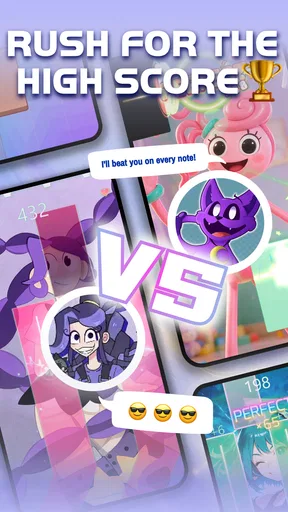
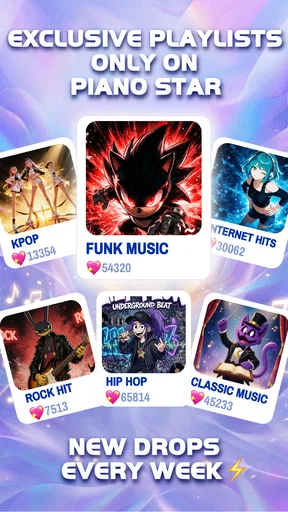
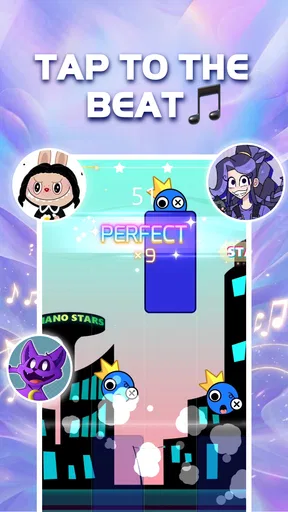
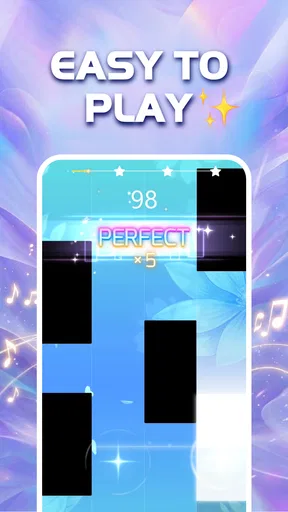
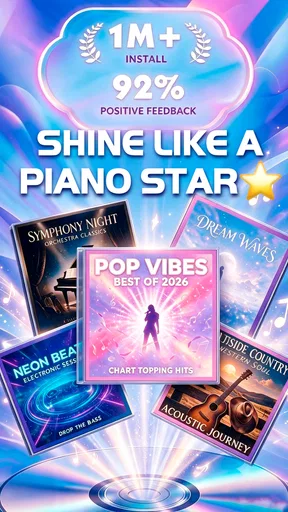
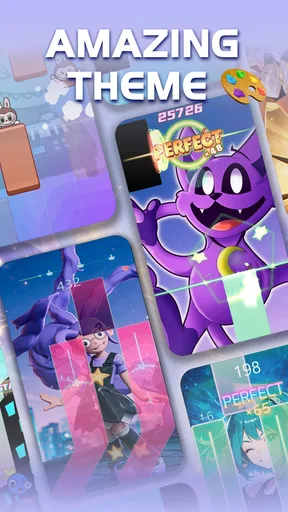
Our Review of Piano Star
 Analysis by Appyee
When one person in a household wants a quick music game and another is curious about trying a few songs, sharing a phone or tablet can make Piano Star an easy after-dinner activity. I’d treat it as a casual, turn-taking game rather than a substitute for a piano lesson: each player can have a go, compare how a song feels, and hand the device over without needing to turn the session into a serious practice routine.
A music game for short shared sessions
That shared-device use is where a touch-screen piano game makes sense. Someone waiting for a meal, relaxing on the sofa, or taking a quiet break can play for a few minutes, while another person watches and chooses what to try next. It works best when expectations stay light: the appeal is responding to music on screen, not learning the physical technique of playing a keyboard.
For a household, I’d agree on a simple routine before passing the device around. Decide who is playing next, keep the volume comfortable, and let each person finish a song before switching. That avoids the familiar shared-phone problem where one person’s session becomes another person’s interruption. It also makes the game easier to enjoy in a common room, where people may want to talk or do something else nearby.
Keep the device and account boundaries clear
If several people use the same device, it’s sensible to decide whose app session and settings are being used. A game session on a shared screen is not automatically the same thing as separate personal progress, so I would not assume that each family member gets an independent profile. Before making purchases or connecting anything social, the person responsible for the device should check the current options and agree on what is appropriate for everyone using it.
The game is free to download, but it offers in-app purchases, with listed items ranging from about a dollar to around twenty dollars. That makes a quick household agreement useful: players can enjoy a casual try without treating every prompt as permission to spend. If a child is using a parent’s phone, I’d keep purchase decisions with the adult and avoid handing over payment approval as part of the game.
Age context and realistic expectations
Piano Star is rated for ages 10 and up, so I’d take that as a helpful starting point when deciding whether it suits a younger player, not as a replacement for family judgement. The game is published by TINYMAX HONGKONG LIMITED and is a music title with a broad audience, but age suitability can still depend on the child, the device, and how the household handles purchases and social sharing.
I would also separate the fun of a rhythm-style piano game from the goals of learning piano in the traditional sense. A touch screen can make music play feel inviting, but it does not provide the same instrument, posture, or finger movement as a real keyboard. For a child who wants to explore songs and timing, that can be a friendly introduction; for someone who wants proper technique or structured music teaching, a keyboard and a dedicated learning tool are a better fit.
Who will enjoy it, and who may prefer something else
My best recommendation is for people who want quick, music-led play without arranging lessons or setting up an instrument. It can suit a casual player who likes recognizable tunes, a beginner looking for a low-pressure way to engage with music, or a family that wants a simple activity to take turns with. If your main aim is to improve at piano, I’d pair it with real keyboard practice rather than expect the game to do that job on its own.
It may be the wrong choice if you dislike tapping to a screen, want a quiet app with no spending prompts, or need clear separation between several people’s progress. In those cases, a conventional music player, a physical keyboard, or a lesson-focused piano app may serve you better. The useful question is not whether this is the most complete music-learning option, but whether its game-like format is the kind of musical break you will actually open.
Practical ways to get more from a session
For a more satisfying shared session, I’d let one person choose the song and another watch for the parts that feel tricky, then swap roles. That turns waiting into a small listening exercise without making anyone compete. If a player is getting frustrated, switching to something more familiar or ending the session is often better than repeating the same section until the game stops feeling fun.
It also helps to think about where the device will sit. A phone held in one hand can make repeated tapping awkward, while resting it securely on a table leaves both hands freer and gives nearby players a clearer view. Keep the screen comfortable to reach, and avoid playing while walking or doing anything that needs attention. These small choices matter more in a quick game than they might in a long, planned lesson.
Getting Started with Piano Star
Have you ever dreamed of tickling the ivories like a pro without leaving the comfort of your couch? Well, let me introduce you to Piano Star. I recently got my hands on this delightful app, and I must say, it's quite the melodious treat. Whether you're an aspiring pianist or just someone who enjoys the occasional musical dabble, this app might just strike the right chord with you.
Launching Piano Star for the first time felt like opening the door to a world of musical possibilities. The interface is sleek and intuitive, which immediately made me feel at ease. No confusing menus or overwhelming buttons here—just a straightforward path to making beautiful music.
The app begins by guiding you through a quick setup process. You can choose your level of expertise, which is great because it tailors the experience right from the start. Whether you’re a beginner or a seasoned pianist, there's something for everyone. I started with the beginner level, and the app’s gentle approach to teaching was much appreciated.
The Features That Shine
One of the standout features of Piano Star is its extensive library of songs. From classic compositions to modern hits, there's no shortage of tunes to play along with. Each song comes with varying difficulty levels, so you can gradually challenge yourself as you improve.
The app also offers interactive lessons that are both engaging and educational. I found the lessons to be a perfect blend of instruction and practice, allowing me to learn at my own pace. Plus, the real-time feedback feature is a game changer. It’s like having a personal tutor right there with you, providing tips and corrections as you play.
Practice Makes Perfect
Practice sessions are where Piano Star truly excels. The app encourages regular practice with its built-in reminders and progress tracking. I loved seeing my improvement charted over time, and these little nudges kept me motivated to keep playing.
The app also includes a nifty recording feature. This allows you to record your sessions and listen back to them. I found this incredibly useful for identifying areas where I needed improvement. Hearing myself play helped me refine my technique and build confidence.
Community and Sharing
Music is meant to be shared, and Piano Star makes this easy. The app has a vibrant community where you can share your performances and get feedback from other users. It’s a warm and supportive space that adds a social element to the solo practice. Plus, there’s nothing quite like the feeling of having your rendition of "Für Elise" praised by fellow enthusiasts!
Additionally, you can connect the app to social media platforms to showcase your progress to friends and family. It’s a fun way to keep others in the loop about your musical journey.
From a quick game to a practice habit
One practical way to use the practice tools is to set a modest goal for each visit: replay a song, focus on a passage that felt difficult, or simply enjoy a tune without worrying about a score. Reminders can help someone who likes routine, but they can feel like nagging if music is only an occasional pastime. I’d keep them only if they genuinely bring me back to the game.
Recording is most useful when you listen with a specific question in mind. Rather than judging a whole performance as good or bad, I’d replay it and notice one thing: whether the timing feels steady, whether a tricky moment keeps catching me out, or whether the second attempt feels more comfortable. That makes playback a small feedback loop instead of another feature to tap through. It is still a record of game performance, not a way to assess real keyboard technique.
How it compares with other music options
Compared with a standard music-listening app, this game asks for active attention: you respond to what appears on screen instead of simply putting on a playlist. That makes it a better fit when you want a short, hands-on diversion, but a worse choice when you want background music while cooking or concentrating on something else. A music player is simpler for passive listening, while a rhythm game built around other instruments may suit someone who wants a different kind of timing challenge.
Against a piano-learning app connected to a physical keyboard, the trade-off is convenience versus instrument practice. Piano Star is easier to pick up casually on a touch screen, while a dedicated lesson tool can be more appropriate for someone following a curriculum or working on keyboard technique. I would choose based on the goal, not on which one has more features: a playful musical break and a structured lesson are different activities.
What to check before settling in
The game is free, has an average rating of 4.3 from roughly 169,000 ratings, and has been installed over 100 million times. Those figures suggest that it has found a wide audience, though popularity does not guarantee that its style will suit you. It is currently at version 1.8.27, with a minimum Android requirement of 7.0; I’d check that the device meets the requirement before planning a shared session.
There are also around 3,400 written reviews, which can be useful if you want to see what other players focus on, but I’d read recent comments with your own needs in mind. Someone looking for a quick game may judge it differently from a learner expecting a full course. The key decision is whether tapping through songs feels enjoyable enough to make you return, especially if your household will take turns on one device.
Wrapping It Up
All in all, Piano Star is a brilliant app for anyone looking to explore the world of piano without the hassle of traditional lessons. It’s user-friendly, packed with features, and genuinely enjoyable. Whether you’re playing for fun or aiming to master the art of piano playing, this app has got you covered.
So, if you’ve ever found yourself gazing longingly at a piano and wishing you could play, give Piano Star a try. It might just be the perfect harmony of learning and entertainment that you’ve been searching for. Happy playing!
My household verdict
For a shared device, I see it as a convenient game to try together when everyone understands that sessions, purchases, and social sharing need sensible boundaries. Its music focus makes it an easy conversation starter, and a turn-based approach keeps the phone from becoming a tug-of-war. I would not rely on it for separate family accounts or formal music education; those needs call for tools built specifically around them.
If you want a low-pressure way to tap along to songs, or a casual activity that can fit between other plans, I think it is worth trying. If your priority is learning to play a physical piano, protecting a young child from purchase decisions without supervision, or keeping music entirely in the background, I’d choose another option. For the right household, the appeal is simple: a few minutes of music together, with expectations kept in tune.
Privacy and Permissions
See what permissions an app requests and how it handles your data.
- Device & app history
- read sensitive log data
- Photos/Media/Files
- read the contents of your USB storage
- Storage
- read the contents of your USB storage
- Wi-Fi connection information
- view Wi-Fi connections
- Other
- view network connections, full network access, control vibration, prevent device from sleeping, Google Play license check, read Google service configuration
Verdict
Strengths of Piano Star
- User-friendly interface for beginners
- Wide variety of songs to choose from
- Engaging gameplay keeps users hooked
- Offline mode available for practice
- Regular updates with new content
Limitations of Piano Star
- In-app purchases can be pricey
- Occasional ads disrupt gameplay
- Limited song selection without premium
- Requires significant storage space
- Some features are locked initially
Other Releases by TINYMAX HONGKONG LIMITED
View All
Dancing Hair: Dress Up
Music4.3

Dancing Dress - Fashion Girl
Music4.3
Similar Picks in This Category
View All
Tiles Hop Music & Ball Game
AMANOTES PTE. LTD.4.3

Magic Tiles 3™ - Piano Game
AMANOTES PTE. LTD.4.6

Real Piano
Bilkon3.7

Piano Game: Classic Music Song
Dream Tiles Piano Game Studio4.0

Smash Colors: Music Ball Rush
BADSNOWBALL HONGKONG LIMITED4.2

Piano Music Go-EDM Piano Games
Joy Journey Music Games4.5
You May Also Like
View All
Frequently Asked Questions
What is Piano Star and how does it work?
Piano Star is a music simulation app designed to help users learn and play popular piano songs on their mobile devices. The app features a virtual piano keyboard and offers a variety of song tracks with guided notes. Users can follow along with the visual cues to play songs, making it ideal for beginners and music enthusiasts.
Is Piano Star suitable for beginners?
Yes, Piano Star is user-friendly and designed with beginners in mind. It provides an interactive experience with guided notes and visual cues, allowing users to easily follow along and learn at their own pace. The app also includes tutorials and progressive difficulty levels to help users improve their skills gradually.
Does Piano Star require an internet connection?
While Piano Star can be used offline for playing pre-downloaded songs, an internet connection is necessary to access additional features such as downloading new song packs, updates, and participating in online challenges. Being connected also enhances the overall experience with up-to-date content and features.
Are there any in-app purchases in Piano Star?
Yes, Piano Star offers in-app purchases. While the app is free to download and provides a selection of songs for no charge, users can purchase additional song packs and features. These purchases enhance the app experience by providing access to a broader range of music and advanced features.
What devices are compatible with Piano Star?
Piano Star is available for both Android and iOS devices. It is compatible with most modern smartphones and tablets. To ensure optimal performance, it's recommended to have the latest version of the operating system installed on your device. Be sure to check the app store for specific device compatibility requirements.
Play our best games!


